Bulin 47 freestyle video
Bulin 47 AI Video Generator
Turn one photo into a 23-second Bulin 47 freestyle video with the original sound.
One photo → One full freestyle
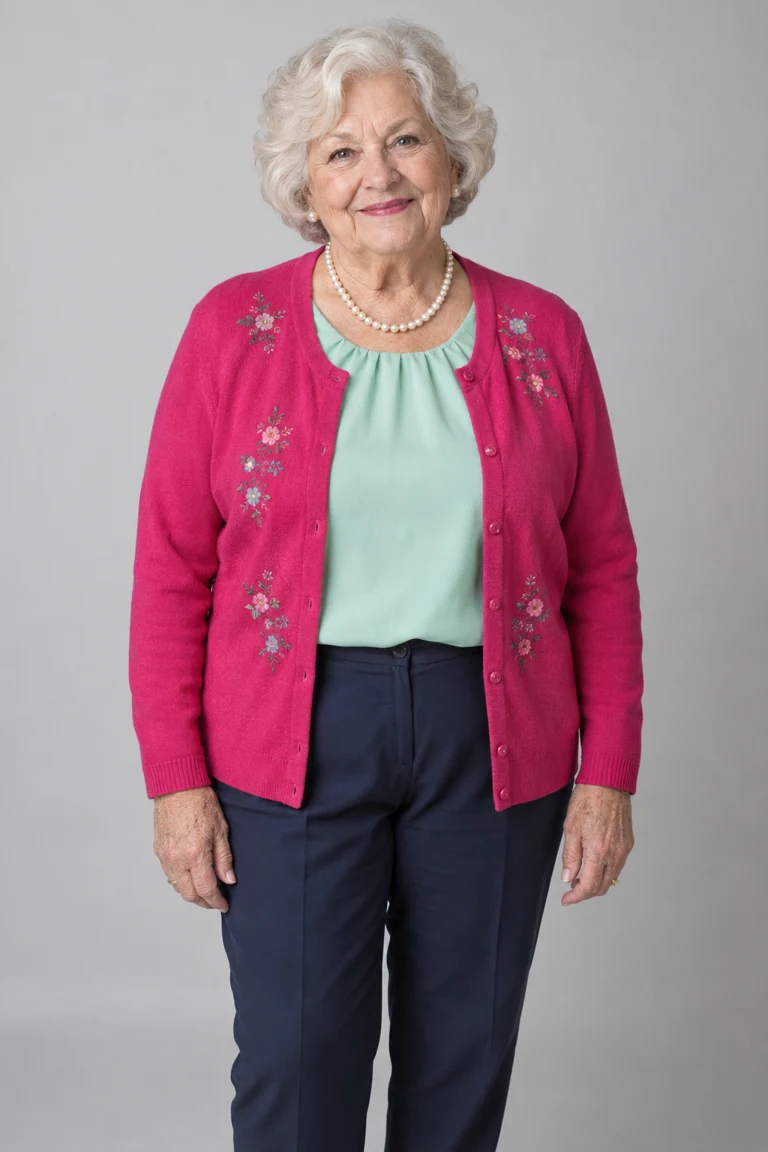
One input photo
Actual result · 720p
01 Add your photo
- Add your lead photo.
- Confirm the age and permission for everyone in your uploaded photos.
- Restoring your saved setup. Please wait.
- Checking your sign-in status. Please wait.
Photo & usage details
- HEIC/HEIF photos are converted to JPG in your browser. Up to 10 MB per photo.
- Photos are sent for AI processing only when you generate. New videos use private storage. Photo retention and deletion
- No nudity, sexual content or non-consensual imagery. Use restrictions · Report misuse
- Your setup is saved in this browser for 24 hours. Photos upload only when you generate.
- Failed renders return credits
Freestyle Examples
Three generated videos with original sound. AI demos; results vary.
Original crowd · Actual single-photo result
Grandma has bars
Original crowd
The street freestyle
Custom crowd · Preview
Football rivals, same beat
What Is the Bulin 47 AI Trend?
Bulin 47 AI is a video-remix trend based on Bulin 47’s street freestyle with Kevin Wai. AI versions replace the lead performer with a new character, using the original performance as a reference.
This generator puts the person in your photo into the prepared freestyle. Choose your lead, crowd and video quality below.
This is an independent tool, not affiliated with Bulin 47 or Kevin Wai.
An AI freestyle remix for entertainment. The result is an AI-generated adaptation, not a real performance recorded by the person in your photo. Read the use restrictions.
Google sign-in connects your account. It provides your name, email & profile picture when available. It does not import Google Photos, Gmail or Drive files. Video generation uses photos you upload & a separate AI provider. Read how account data is used.
View Kevin Wai’s original freestyle recording · Read the sources and method
Start with your photoHow to Make Your Bulin 47 AI Video
Choose a photo, set up your video and review the result.
- 01
Add your photo
Show one person’s face, hair and upper body in a clear photo.
- 02
Choose the crowd & quality
Keep the original crowd or choose Custom, then select 480p or 720p.
- 03
Generate, review & download
Sign in, review your settings and confirm the generation. Play the completed video with sound, then download the MP4.
AI remixes on TikTok
Community inspiration — not generated with this tool.
Cast remix
@djl3oj690.7K likes
Football crew
@freddoapxj1266.9K likes
Comedy cast
@supernata88235.9K likes
Freestyle remix
@freddoapxj1181.8K likes
Animated character
@ns7films40.3K likes
Superhero remix
@ns7films19.3K likes
Likes checked October 12, 2026.
Change the Lead, Follow the Performance
Your photo defines the character’s appearance; the prepared clip guides the performance.
Face, hair & outfit
The model uses the visible features in your photo and interprets anything outside the frame.
Movement from the reference
The reference guides gestures and camera movement. Generated movements can differ from the source.
Original freestyle sound
Keep the rhythm and audio of the original freestyle.
Original or Custom crowd
Choose which crowd roles to replace alongside the lead.
| Mode | Photos needed | Target replacement roles |
|---|---|---|
| Original | 1 lead photo | Lead performer |
| Custom | 1 lead + 0–4 optional crowd photos | Lead and any selected crowd roles |
Choose Who Appears in the Freestyle
Try a different lead or bring friends into the scene.
Put yourself in the clip
Use your own photo to make a personal freestyle video for your social feed or group chat.
Feature a friend
Make a version for a friend and let them review it before you share.
Try an original character
Try an original character. Illustrated faces and unusual proportions may be reinterpreted by the model.
Bring friends into the crowd
Assign a photo to each crowd role you want to change.
Each video has one lead. Custom changes crowd roles; it does not add more lead performers.
Choose your photo & crowdPhoto Requirements & What to Expect
Start with a clear photo and know what AI can change. Your photo guides the character’s appearance; an exact match is not guaranteed.
Before you upload
- JPG, PNG, WebP or HEIC/HEIF, up to 10 MB per image. HEIC/HEIF photos convert to JPG in your browser.
- One person per photo, with their face, hair & upper body visible.
- Choose a sharp, evenly lit image. Avoid sunglasses, heavy filters & a covered face.
- Include the clothing you want the tool to reference.
- Use the same checklist for each uploaded Custom crowd photo.
Use photos of yourself or consenting adults aged 18 or older. Celebrities, public figures & minors are not allowed.
Before you share
- Check the face, hands & clothing during turns and when people cross the frame. Details can change between frames.
- Accessories from the original performer may remain in the result.
- In Custom mode, check each person’s assigned role. AI can also alter people outside the intended replacement roles.
- Listen to the full clip and check the mouth movements; exact lip sync is not guaranteed.
Bulin 47 AI Video Specifications
- Length
- Approximately 23 seconds
- Framing
- Vertical, following the source clip
- Format
- MP4
- Resolution
- 480p: 480 × 834720p: 720 × 1250
- Audio
- Original freestyle sound
- Watermark
- No added watermark
Bulin 47 AI Pricing
One-time packs · Pay with PayPal
Compare video quality and credit cost
| Quality | Output dimensions | Credits per video |
|---|---|---|
| Standard · 480p | 480 × 834 | 10 |
| HD · 720p | 720 × 1250 | 22 |
Purchased credits do not expire.
If a render fails
If a render fails or is blocked, its reserved credits are automatically returned to your available balance. This does not refund your payment. A completed video with imperfect details is not a failed render. Each new generation uses credits.
Permissions and sharing
Before publishing, check the platform’s rules and the permissions needed for your intended use.
Before you start
Bulin 47 AI FAQ
Is Bulin 47 AI free?
No. Registration does not include free credits or videos. You can watch examples and preview your photo without paying. To generate a video, sign in and buy a one-time pack.
View pricingWhat photos do I need for Bulin 47 AI?
You need one lead photo. Custom crowd accepts 0–4 optional single-person photos for the roles you choose; empty slots keep the original people as a reference.
See photo requirementsDo I need a Bulin 47 AI prompt?
No. The performance reference and instructions are already prepared; choose your photo and settings.
Explore the manual Bulin 47 prompt workflowWho gets replaced in the video?
Your photo replaces the lead performer. Custom also targets your selected crowd roles. Review the whole video: AI can alter other details in the scene.
Choose your photo & crowdWill it use my voice or change the lyrics?
No. The video keeps the original freestyle audio. It does not clone your voice or add your name to the lyrics.
Can I use a friend, celebrity or fictional character?
You can use your own photo or a consenting adult’s photo. Everyone pictured must be 18 or older. Minors, celebrities & public figures are not allowed. For an original fictional adult character, use an image you created or have permission to use. The model may reinterpret its appearance.
When are credits charged?
Credits are reserved when you submit a generation request & charged when it completes. Failed tasks release the reserved credits. Each new generation uses credits, including a different photo or new settings. Viewing or downloading an existing result does not use more credits.
See credit costs & failed-render returnsDo I need an account to generate or download?
Yes. Sign in to generate, view saved tasks or download your video. You can select a photo before signing in; this does not start generation.
Open My creationsHow long does it take, & can I close the page?
Processing time varies with the queue & generation stages. There is no guaranteed completion time. Once your task has been successfully submitted, you can close the page and return to My creations to check its status or download the result.
Check your video statusWhat if generation fails or the result looks wrong?
Failed or blocked tasks return reserved credits, not cash. Visual errors in a completed video do not count as a failed task. Each new generation uses credits.
Review photo guidance & result limitsCan I publish the video or use it commercially?
You need the required permissions for the photos, original footage and music. This tool does not grant those rights. Also check the destination platform’s rules for AI-generated content.
Read the terms of serviceMake Your Bulin 47 AI Video
Choose your photo and prepare your next freestyle version.
Review your settings before you generate.
